Feed the Scorchpot Controls
Point, click, roll, cook. The board is the interface; the pad is optional.
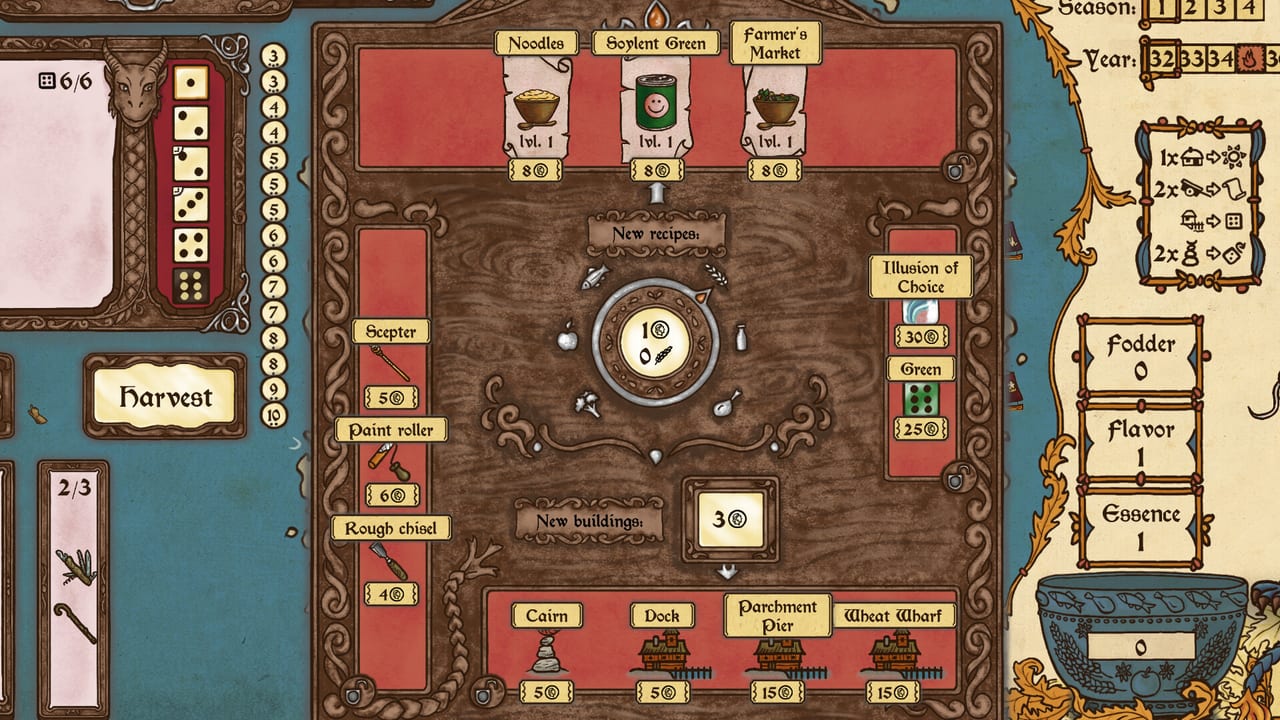
Feed the Scorchpot is a Windows PC tabletop roguelike with full controller support, a mouse-only option, and no timed inputs. You can save anytime and rely on Steam Cloud. This page is the input and comfort list. Strategy lives in How to Play and the 20-Year Walkthrough.
Mouse-first play
Most actions are clicks on the board: select dice to keep, spend a reroll, harvest, choose recipes, cook, then shop. Because there is no action-economy timer, you can think. Use that. The game is not hiding a speed bonus for snapping Harvest the moment three dice land.
A practical mouse loop:
- Hover tiles you care about and note their numbers before you touch the tray.
- Click keeps on the dice that already form a live Mark.
- Reroll leftovers.
- Click Harvest only after you have checked a tool in the pocket.
- Open recipes, confirm they can legally pay, then Cook.
If a clickable corner is hard to see under a busy late board, zoom with whatever camera control the current build exposes in the options menu and slow down. Misplacing a building is permanent; see Island Layout.
Controller
Steam lists full controller support. Expect a face-button confirm, a back-button cancel, and a stick or pad to move between dice, tiles, and shop cards. Trigger or bumper is usually the fastest way to cycle the shop versus the board. If a prompt overlaps a hex, use the highlighted selection, not memory from the mouse layout.
Couch play is viable because the game is turn-based and readable at television distance once you learn the icon language. It is still a numbers game. Sit close enough to read 8 versus 9.
Keyboard and accessibility
Steam also lists custom volume sliders, adjustable difficulty, playable without timed input, and mouse-only operation. That combination means you can:
- Lower music independently of the dragon’s voiced tutorial lines.
- Soften the hunger curve if you want a teaching run.
- Pause for as long as you want between rolls.
- Skip a pad entirely.
There is no online matchmaking to keep alive. Feed the Scorchpot is single-player. Close the lid, save, and come back. Cloud saves follow the Steam account.
Options worth opening once
Turn on any numbered-tile emphasis the settings offer. Marks are the whole game; if a colorblind or busy-art option exists in your build, use it. Bind a dedicated button to the shop if you keep accidentally cooking. Disable rumble if a long session makes the pad noisy during rerolls.
The in-game Codex, Statistics, and Trophies (tied to 40 Steam achievements) are menus, not extra control schemes. Open them from the pause screen when you need to inspect a recipe you already own. The wiki’s Items hub mirrors that job with extra ranking context.
Tools that sit beside the controls
Inputs do not tell you whether a 10 is worth hunting. Keep Dice Odds and the Mark Planner in a second window if you like planning trays on paper. Neither tool is required. Both are faster than guessing.
If a control question is actually a strategy question (“why can’t I harvest this 12”), you want How to Play, not a rebinding. If the machine is the problem, read system requirements. The game is light; a missing overlay is more often a Steam Input profile than a GPU issue.
Platform notes
The current paid build is Windows via Steam, with itch.io as a second storefront. GOG, Epic, iOS, and Android were announced as coming later; they are not the control baseline for this page. If you play on a Steam Deck, use the official controller layout first, then tweak the trackpad as a mouse for tiny shop cards.
That is the whole input story. Go cook. The Guides Hub is the next click if you still need a tutorial path.
Frequently Asked Questions
Quick answers to the most common questions.
Does Feed the Scorchpot support a controller?
Yes. Steam lists full controller support. Mouse-only play is also listed if you prefer clicks on the hexes.
Is there a timer on rolls?
No. The game is playable without timed input. You can think, save, and come back.
Can I save in the middle of a year?
Yes. Save anytime, with Steam Cloud on the Windows build.
Where do I rebind keys?
Use the in-game options plus Steam Input if you are on a pad. There is no hidden combat hotkey bar.